FAQs
How can I contact the support?
You can reach our support via an email at katie_support@duprcoach.com
Which browsers are supported?
Minimum required web browsers and their versions are listed below.
- Chrome 56+
- Firefox 50+
- Safari 10+
How do I enable cookies in my browser?
See http://www.wikihow.com/Enable-Cookies-in-Your-Internet-Web-Browser for your version of the browser.
How do I enable javascript in my browser?
See http://enable-javascript.com for your version of the browser.
I am confused about the what to do after I paid. What should I do?
Follow the steps in DUPR Coach Process to get started.
I don't understand the terms used. Where can I find the definitions?
You can find the definitions of the terms used in DUPR Coach in the Definitions.
How do I record an assessment video effectively?
Recommendations on how you should record your assessment videos:
- Video Size: 5min or 500MB
- Resolution: 1080p at 60 fps
- Orientation: Landscape
- Placement: Each of the four corners should be visible in the frame and not obstructed by the net at about 5ft off the ground
- Lighting: Avoid filming with direct sun in the background; if it’s hard to make out players or the ball, it will be difficult to assess
- Game: The video must be of a doubles pickleball game (no warmups please!)
How can I have my players sign up via My DUPR Coach app and be assigned to me?
Follow the instructions in the Invite Players guide.
What can I do if one of my players is assigned to a different coach?
Guide the player to navigate to Menu > Find a Coach, inside the My DUPR Coach app, search for your name, and tap "Get Your DUPR" link. They will then receive a prompt to request a transfer to you, which will be completed once they accept.
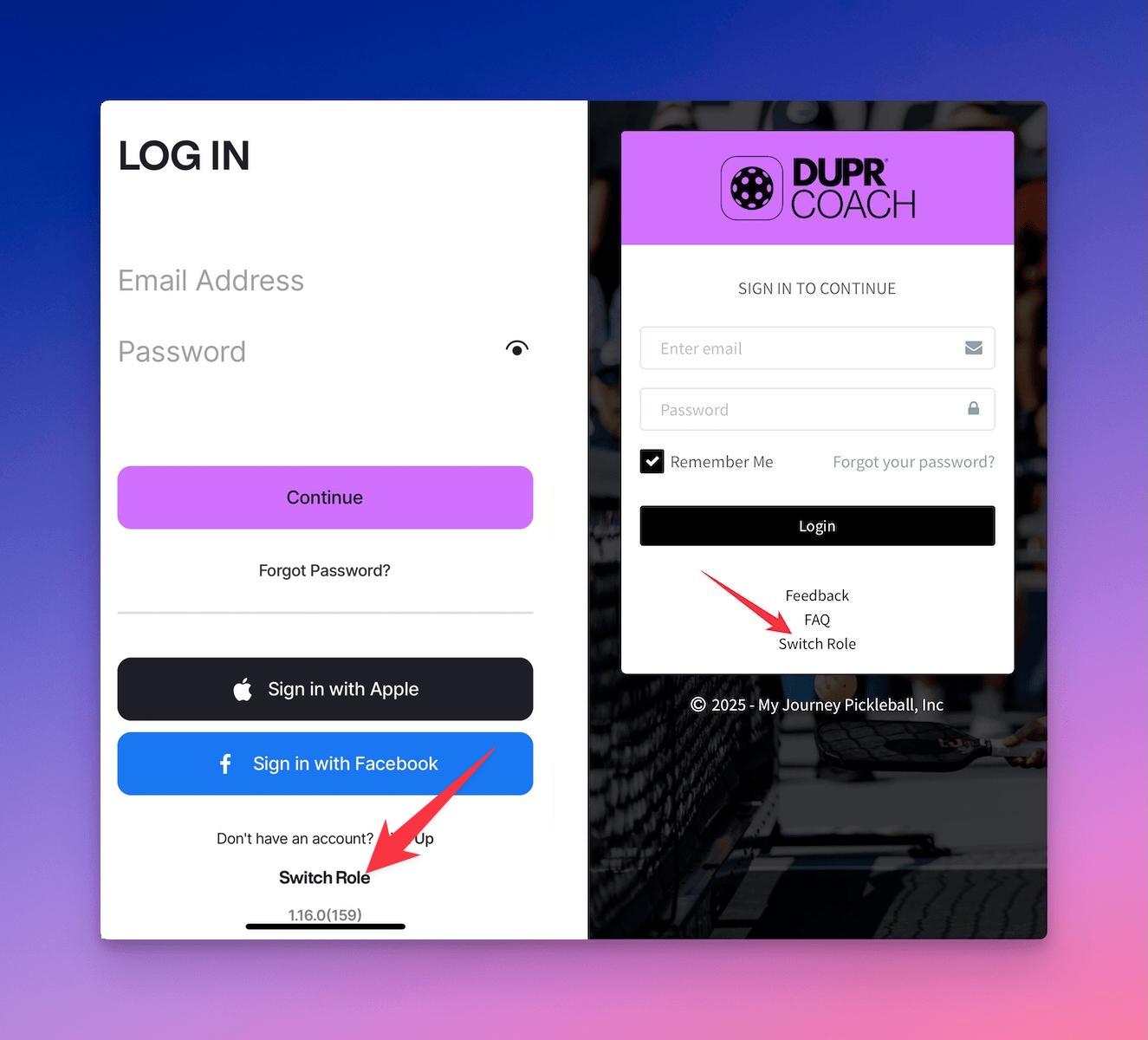
How can I switch between the roles?
Depending on which role you switched to you can find a Switch Role link on the login screen as shown in screenshot below or inside the app.
Help Me Understanding Pickleball Skill Levels in DUPR?
DUPR range from 2.00 to 8.00, ensuring every player is accurately placed in the right competitive category.
- 2.00 - 2.99: Beginner to early intermediate, developing basic shot consistency.
- 3.00 - 3.99: Intermediate players with improving strategy and shot control.
- 4.00 - 4.99: Advanced players with strong tactical awareness and execution.
- 5.00 - 8.00: Elite and professional-level players competing in high-level tournaments.
- Learn More
How Can I find my Latitude and Longitude?
- Navigate to DUPR Coach Map
- Enter Zip Code or Address or City into the search box at the top of the page and click
Findbutton - You'll see a red pin appear on the map, you can click anywhere on the map to re-position it.
- Once you're happy with the location just click on the pin and copy Latitude and Longitude to the clipboard.
Player FAQs
For player-specific FAQs, please visit the DUPR Player FAQ page .