Invite Players
- Open Coach-Assigned Rating Tool and tap the hamburger menu in the top right corner.
- Tap the "Invite Player" link as shown in the screenshot below.

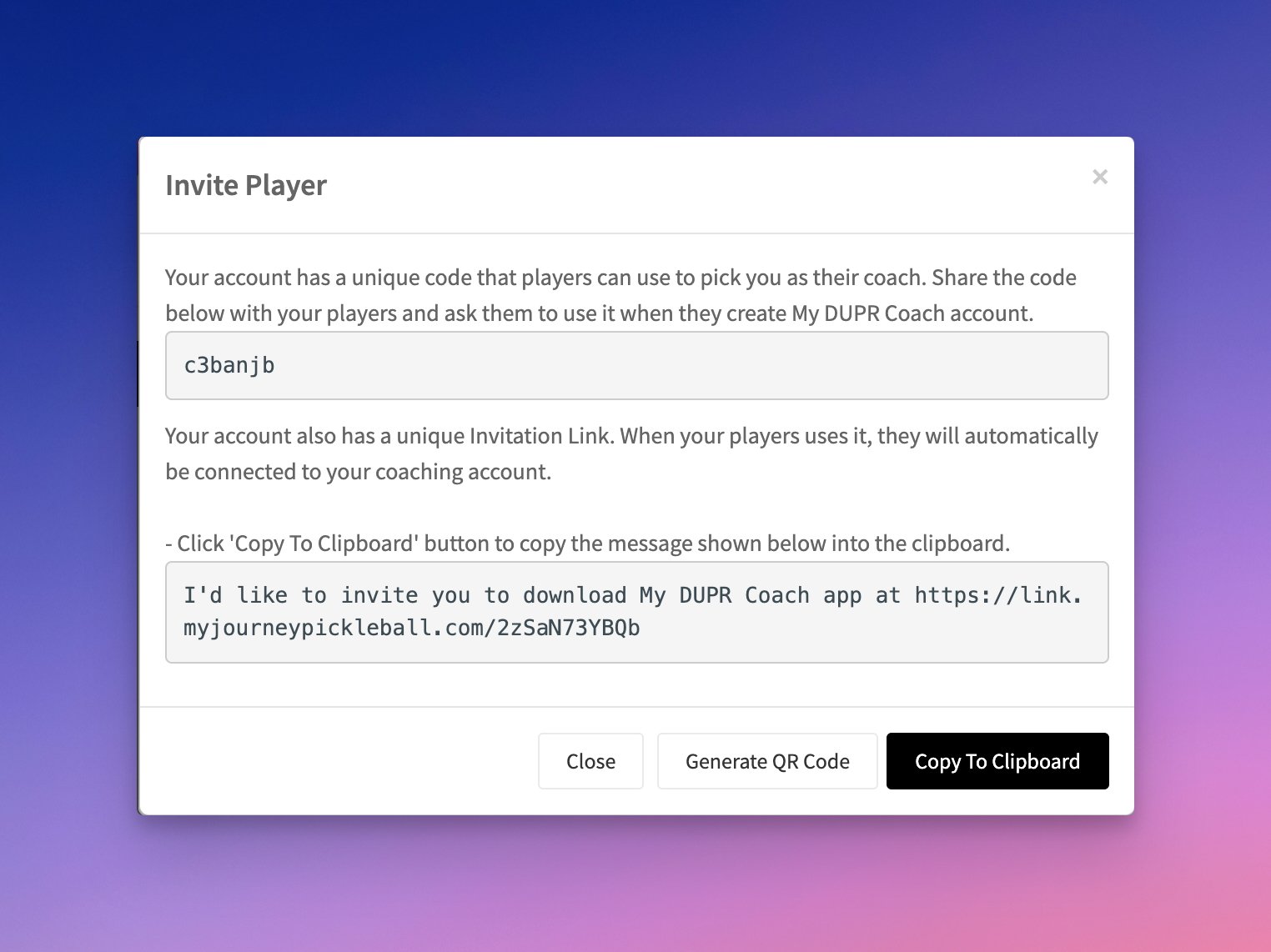
- When the modal opens, share your unique Coach Code with your players so they can connect to your team when creating their My DUPR Coach app accounts. You can also click "Copy to Clipboard" to copy a short message with your unique link and share it via any messaging app. Alternatively, click "Generate QR Code" to create a QR code that players can scan directly from your phone to join your team.
Player Marketing Emails
When you invite players and they create an account in the My DUPR Coach app, they may receive marketing emails from the My DUPR Coach team. These emails will use your DUPR Coach alias, profile picture, and other relevant information.
This practice was disclosed in the My DUPR Coach app Terms and Conditions when your players created their accounts, and in the DUPR Coach Terms and Conditions when you created your coach account.
The emails are intended to educate players about DUPR, connecting to DUPR, the Remote Rating option, and other features. If you would like to review these emails, please contact our team at support@duprcoach.com. Players can opt out at any time by clicking Unsubscribe at the bottom of the email.